This post may contain affiliate links. Please read my disclosure for more information.
Managing your money doesn’t have to feel overwhelming or confusing. Especially in this digital day and age, with so much technology to make life easier.
You can easily track your spending and manage your money with a budgeting app!
Budgeting apps have changed how people track their spending, save money, and reach their financial goals.
The best budgeting apps for 2026 include:
- EveryDollar for zero-based budgeting
- Rocket Money for managing subscriptions
- YNAB for reputation and zer0-based budgeting
- Wallet by BudgetBakers for tracking cash flow
- Spendee for beginners who want a simple interface
These apps do more than just show you where your money goes. They can link to your bank accounts, sort your purchases into categories, and send you reminders about upcoming bills.
Some apps help you cancel subscriptions you don’t use anymore, while others let you set savings goals and track your progress.
And if you struggle to save money, budgeting apps can help with that. Plus, digital organization, especially of your financial budget is more convenient and won’t get lost.
The right budgeting app depends on what you need and how you like to manage money. Whether you want a free option or don’t mind paying for extra features, there’s an app that fits your style.
This guide walks you through what makes a budgeting app worth using, compares top choices, and helps you find the best match for your financial situation.
Want to download and monitor your credit for free?
If you want to check your credit report and score whenever you want to then download Credit Karma. This easy app lets you see your credit details whenever you want!
Comparing the Best Budgeting Apps for 2026
Several budgeting apps stand out in 2026 for different reasons. Some offer powerful features across the board, while others excel at being free or following specific budgeting methods like zero-based budgeting.
Choose the best budget app for your likes and dislikes. One of the most important budgeting tips is just to start, so any of these budget tracker apps will get that job done!
Top Overall Budget Apps
Monarch Money leads the pack with its flexible approach to budgeting.
You can choose between flex budgeting (which groups spending into three simple buckets) or category budgeting (which lets you set limits for specific categories).
The app costs $99.99 per year or $14.99 per month. You can add a household member at no extra cost.
Quicken Simplifi offers strong automation features.
It syncs with your bank accounts and tracks spending without much effort on your part. The app works well if you want to see your money flow without manually entering every transaction.
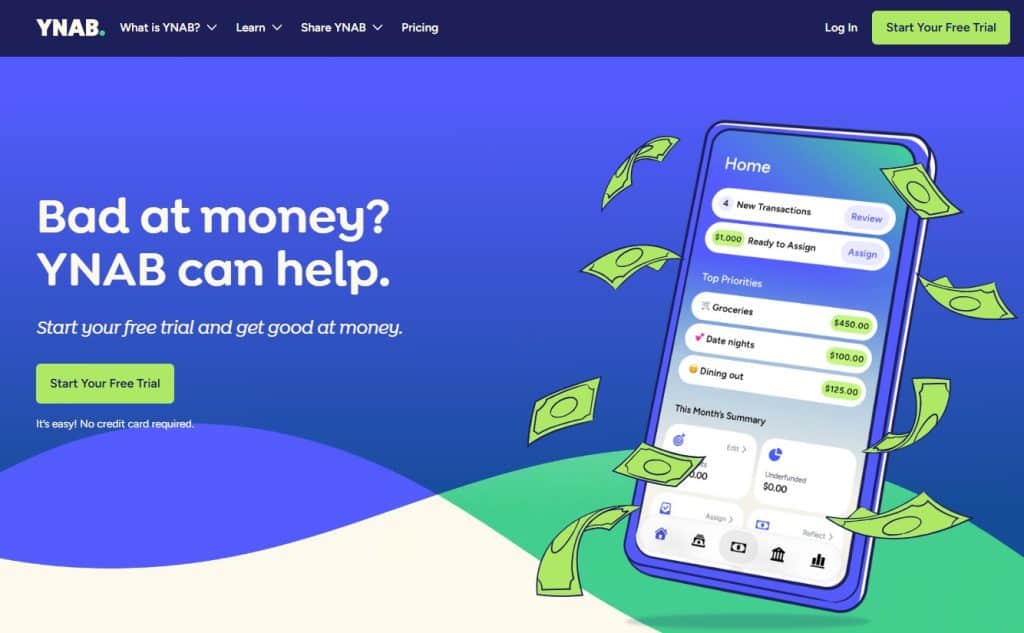
YNAB (You Need A Budget) is one of the more well-known apps for budgeting and gives you detailed control over your finances. It costs $109 per year or $14.99 per month.
You can share one membership with up to five people through YNAB Together. The app includes a loan payoff simulator to help you tackle debt.
PocketGuard shows you how much money you have left after bills, debt payments, and savings goals.
The Plus version costs $74.99 per year. Its new Pace feature alerts you if you’re spending your budget too quickly based on how many days remain in the month.

Make the Most of Your Money
Empower: Get the money management tool to help you control your personal finances. Net worth, future plans, savings planner, and investments, all in one award-winning dashboard.
Best Free Budgeting Apps
Goodbudget offers a free version that uses envelope budgeting. You manually add your account balances and assign money to different envelopes. The free version limits you to one account and a set number of envelopes.
Empower Personal Dashboard is completely free. It works best for tracking your overall wealth rather than detailed budgeting.
You can connect checking, savings, credit cards, and investment accounts. The app shows your net worth and gives you a spending snapshot by category.
WalletHub provides free credit monitoring with daily credit reports and scores. The free version focuses on credit health. You need to upgrade to the premium version to access budgeting tools, spending tracking, and subscription management.
EveryDollar has a basic free version. You manually enter all your transactions and categorize them yourself. The premium version ($79.99 per year) connects to your bank for automatic transaction tracking.
Apps for Zero-Based Budgeting
Zero-based budgeting means you assign a job to every dollar you earn. This method helps you be more intentional with your money.
YNAB is built specifically for zero-based budgeting. When you get paid, you decide exactly how much goes toward spending, savings, and debt. The app makes you plan ahead rather than just track past purchases. College students can use YNAB free for one year.
EveryDollar follows the zero-based budgeting framework created by Dave Ramsey’s company. The app relaunched in January 2026 with new features like a margin finder and personalized plans. You can access daily lessons and live group coaching through the app.
PocketGuard also uses zero-based budgeting principles. After you enter your income and expenses, it calculates your leftover money. The app alerts you if your budget doesn’t balance. You can customize transaction categories in bulk rather than changing them one by one.
Goodbudget applies zero-based budgeting through its envelope system. You portion out your monthly income into specific spending categories before the month begins. This makes you think carefully about where each dollar should go.
Budgeting Apps by User Needs
Different budgeting apps work better for different situations. Some apps have features that make them perfect for people just starting out, while others shine when two people need to budget together or when you want to track all your subscriptions in one place.
Best Budget App for Beginners
Spendee stands out as a top choice when you’re new to budgeting.
The app costs less than most others at $1.99 per month or $14.99 per year for the Plus plan. You can also use a free version to get started.
The interface is simple and easy to understand. You’ll see clear graphics that show where your money goes each month.
Spendee doesn’t overwhelm you with too many features, which makes it less confusing when you’re learning to budget.
Key features for beginners:
- Clean, visual design that’s easy to read
- Automatic transaction imports
- Bill pay reminders
- Multiple currency support
- Option to share budgets with others
The app syncs with your bank accounts so you don’t have to enter every transaction by hand. It has 4.4 stars on Android and 4.6 stars on iOS.
The Premium plan offers more features for $5.99 monthly or $35.99 yearly if you want to upgrade later.
Albert Banking & Money App
Get up to $1,000 Instantly!
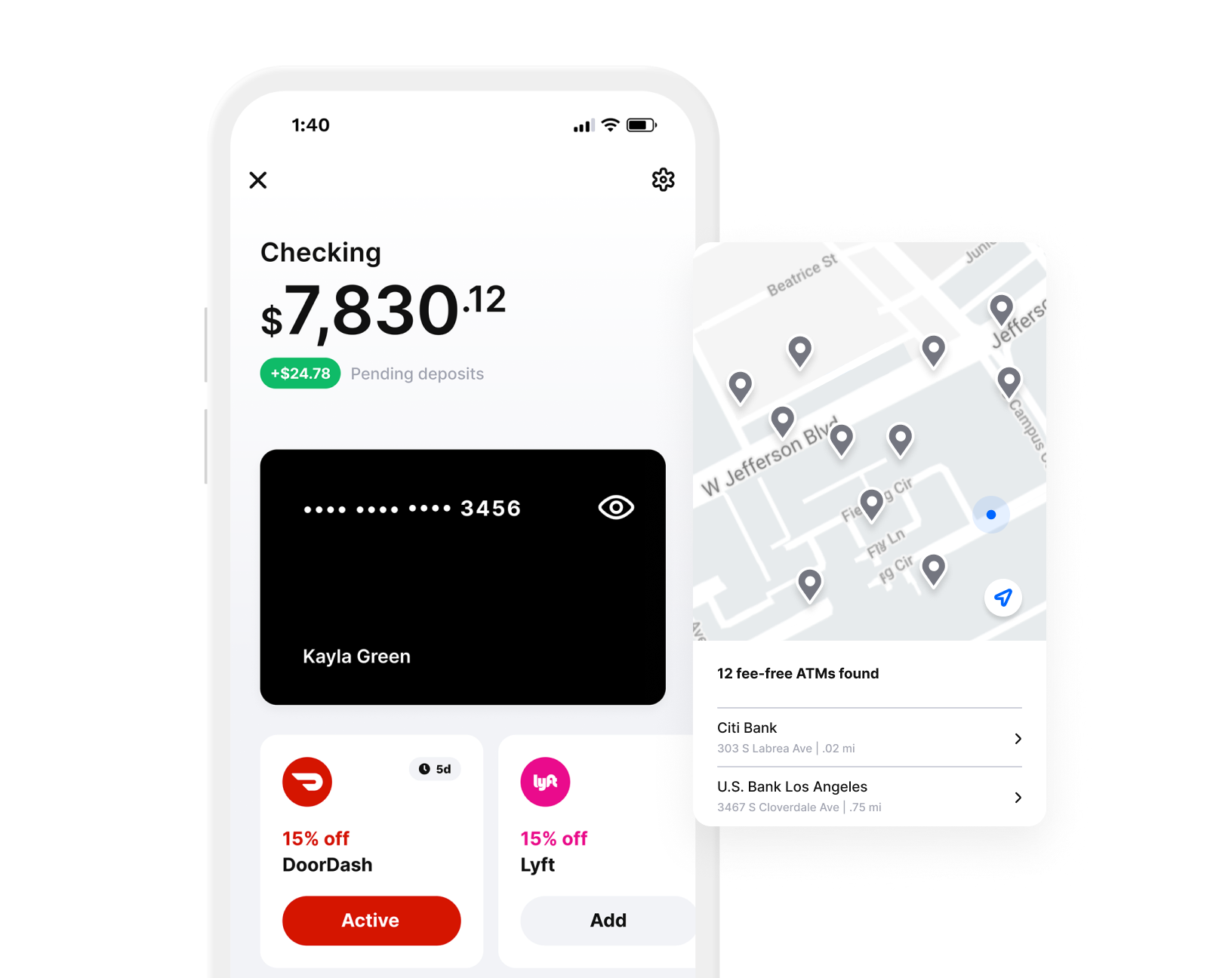
Albert: The only all-in-one banking and money app you need. Automatic saving and investing. 20% cash back on purchases and more!
Best Budget App For Couples and Shared Budgets
Several apps let you share your budget with a partner or family member. Wallet by BudgetBakers and Albert both offer sharing features that work well for couples managing money together.
Wallet makes it easy to see your combined cash flow in one place. Both you and your partner can view the same budget, track spending together, and see upcoming bills.
The app categorizes spending automatically and shows you what your net cash balance will be after all your bills are paid.
Albert offers a Family Plan for $39.99 per month that includes investment management and access to financial experts.
You can share your entire budget, savings goals, and spending insights with your partner. The app creates a budget for you based on both of your spending patterns.
Best sharing features:
- Real-time updates when either person spends money
- Combined view of all accounts
- Shared savings goals
- Bill tracking for joint expenses
Best for Subscription and Bill Tracking
Rocket Money (formerly Truebill) is the best budget tracker app for finding and canceling unwanted subscriptions.
The app looks through your transactions to find every recurring charge you pay each month.
You can cancel subscriptions directly through the app. Rocket Money will handle the cancellation process for you, which saves time dealing with customer service.
The app also offers bill negotiation to help lower your monthly bills like cable or internet.
What makes Rocket Money stand out:
- Finds hidden subscriptions automatically
- Cancels subscriptions on your behalf
- Negotiates bills (charges 35% to 60% of first year’s savings)
- Credit score monitoring included
- Budget tools and spending insights
The app has a free version with basic features. Premium plans cost $7 to $14 per month depending on what you choose to pay.
It has 4.6 stars on Android and 4.5 stars on iOS. The bill negotiation feature is available to all users, not just premium members.
Popular Budgeting Methods Supported by Apps
Different budgeting apps work with different money management styles.
Some apps let you use envelope budgeting, zero-based budgeting, or simple percentage-based plans like the 50/30/20 budget.
Envelope and Digital Envelope Budgeting
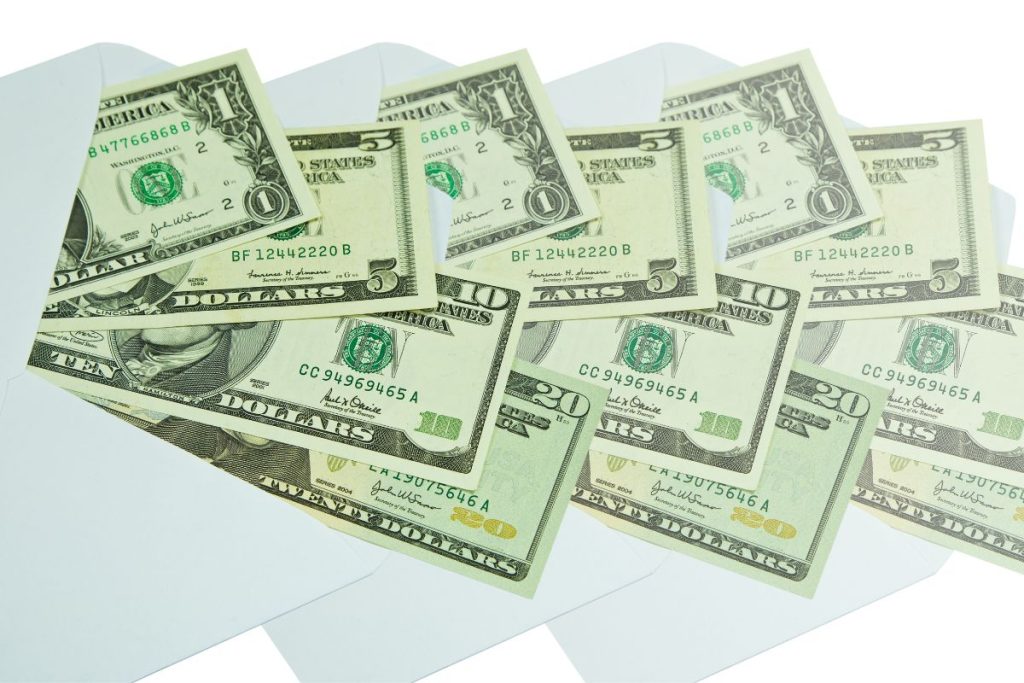
Envelope budgeting is a system where you divide your money into different categories and put cash into actual envelopes for each spending area.
When an envelope is empty, you can’t spend more in that category until next month.
Digital envelope budgeting works the same way but uses apps instead of physical envelopes. You set up budget categories like groceries, gas, and entertainment.
The app tracks how much you have left in each digital envelope as you spend throughout the month.
This method helps you avoid overspending because you can see exactly how much money remains in each category.
Many budgeting apps now include digital envelopes as a feature. You can move money between envelopes if needed, but you stay aware of every dollar you allocate.
Zero-Based Budgeting Approach
Zero-based budgeting means you assign every dollar a job before the month begins. Your income minus all your planned expenses should equal zero.
This spending plan doesn’t mean you spend everything. You give each dollar a purpose, including savings and debt payments.
If you earn $3,000 per month, you plan out all $3,000 across your budget categories.
Apps like EveryDollar focus specifically on this method. You create categories for bills, savings, spending, and giving.
The goal is to be intentional with your money instead of wondering where it went.
Zero-based budgeting requires more planning upfront. You need to think through your expenses at the start of each month.
But many people find it helps them take control of their finances faster than other methods.
50/30/20 and Flex Budgets
The 50/30/20 budget splits your income into three simple categories.
You put 50% toward needs like housing and food, 30% toward wants like dining out, and 20% toward savings and debt payment.
This method works well if you want a simple framework without tracking every purchase. You just need to make sure your spending stays within the three main buckets.
A flex budget gives you more freedom to adjust spending based on your changing needs. Unlike strict budget categories, a flex budget lets you move money around as life happens. You might spend more on groceries one month and less on entertainment.
Many modern budgeting apps support both approaches. Some let you set percentage targets while others let you customize categories however you want.
The flexibility helps you stick with budgeting instead of giving up when life gets unpredictable.
Advanced Features: Customization, Goal Setting & Tracking
Modern budgeting apps go beyond simple expense tracking by offering tools that help you plan for the future and understand your spending patterns.
These features let you create customized budgets, set money goals, use a savings tracker and see detailed reports about where your money goes.
Setting Financial and Saving Goals
Most budget planners let you create specific savings goals for things you want to achieve. It helps you stay on track plus you can see your actual progress in real-time.
You can set up goals for an emergency fund, vacation, down payment, or paying off debt.
Apps like Albert and Rocket Money analyze your income and spending to find small amounts you can save automatically throughout the week.
The best apps show you how close you are to reaching each goal with visual budgeting tools like progress bars and charts.
EveryDollar lets you create unlimited budget categories and offers paycheck planning to help you assign every dollar a job.
You can usually set target amounts and due dates for each financial goal.
Some apps send you reminders when you’re falling behind or notifications when you reach milestones. This keeps you motivated and helps you stay on track with your money goals.
Investment and Net Worth Tracking
Many budgeting apps now include investment tracking features that give you a complete picture of your finances.
Rocket Money and Monarch track your net worth by combining all your accounts, including checking, savings, investments, and debts.
Wallet by BudgetBakers offers investment management tools that let you monitor your portfolio alongside your regular spending.
Albert’s higher-tier plans include investing tools and regular investment checkup features. You can see how your investments perform without switching between different apps.
These features help you understand your total financial health, not just your monthly budget.
Some apps support crypto portfolio syncing and multicurrency tracking for more complex investment situations.
Spending Insights and Reports
Spending insights show you exactly where your money goes each month.
Apps automatically categorize your transactions into groups like groceries, dining out, and entertainment.
Wallet by BudgetBakers creates useful data reports with easy-to-read graphics and charts.
EveryDollar provides insights into spending trends so you can spot problem areas. The expense tracker in most apps identifies recurring payments and subscriptions you might have forgotten about. You can see spending reports by category, time period, or merchant.
These insights help you make better decisions about your budget. Some apps use this data to suggest areas where you could cut back or warn you when you’re about to overspend in a category.
Extra Budget Tools and Digital Finance Perks
Modern budgeting apps go beyond simple expense tracking by offering features like automatic bank connections, credit score updates, and tools like savings accounts or investment options.
These extras can help you manage your complete financial picture in one place.
Account Linking and Bank Connections
Account linking lets you connect your checking accounts, savings accounts, and credit cards directly to your budgeting app.
Most personal finance apps sync with thousands of banks to pull in your transactions automatically. This saves you time because you don’t have to enter every purchase manually.
The connection works through secure systems that read your account data without giving the app control over your money.
You can typically link multiple accounts from different banks to see all your finances in one dashboard. Some apps update your transactions in real time, while others refresh once or twice per day.
Premium versions usually offer unlimited account connections.
Free versions might limit you to one or two linked accounts, which could be a problem if you use multiple banks or credit cards.
Credit Monitoring and Score Tracking
Credit monitoring features show you your credit score and alert you to changes in your credit report.
Apps like Rocket Money and Albert include credit score monitoring as part of their service. You can check your score whenever you want without hurting your credit.
These tools typically update your score monthly and explain what factors affect it most.
You’ll get notifications about new accounts, hard inquiries, or other changes that appear on your credit report.
This helps you spot identity theft quickly and understand how your spending habits impact your creditworthiness.
Some apps offer free credit score tracking, while others require a paid subscription. The scores you see might come from different credit bureaus, so they can vary slightly from what lenders see.
Additional Personal Finance Tools
Many budgeting apps include extra features that go beyond tracking expenses.
Some offer high-yield savings accounts where your money earns more interest than traditional banks pay.
Others provide access to financial calculators that help you plan for big purchases or retirement.
Apps like Stash combine budgeting with investing tools, letting you build a portfolio alongside your budget.
Earnin and similar apps offer paycheck advances if you need cash before payday, though these come with fees or suggested tips.
You might also find robo-advisor services that create investment portfolios based on your goals and risk tolerance.
Some apps give you access to chat with a financial advisor for personalized guidance. Albert offers this through its higher-tier plans.
Investment management features let you track stocks, bonds, and cryptocurrency holdings. A few apps support multiple currencies if you travel internationally or work with foreign money.
What Makes a Budgeting App the Best Choice?
The best budgeting apps balance strong features, tight security, and fair pricing to help you manage money without hassle.
Your choice depends on what tools you need, how much you want to spend, and whether the app keeps your financial data safe.
Prefer budgeting the old-school, real pen and paper way? Try these 21 free budget printables you can download.
Budgeting Features to Look For
Good budgeting tools should sync with your bank accounts automatically.
This feature saves you time by pulling in transactions without manual entry. They also can provide you with a savings tracker this way.
Most top budgeting apps connect to thousands of financial institutions to track your spending in real time.
Look for budget tracker apps that let you set up custom categories when budgeting money. You might want separate buckets for groceries, entertainment, and utilities.
The best budgeting apps also show your spending patterns through charts and graphs so you can see where your money goes each month.
Bill reminders help you avoid late fees. Many budgeting features include alerts before payments are due. Some apps even track subscriptions you might have forgotten about so you can cancel them.
Goal-setting tools let you save for specific things like vacations or emergency funds. The app should show your progress and help you stick to your plan.
Budget sharing is useful if you manage money with a partner or family member.
Budget App Security and Privacy Standards
Your financial data needs strong protection. The best budgeting apps use bank-level encryption to keep your information safe.
This means your data gets scrambled so hackers can’t read it even if they steal it.
Multi-factor authentication adds another layer of security. You’ll verify your identity through your phone or email before logging in.
This stops someone from accessing your account even if they know your password.
Check if the app sells your data to advertisers. Read the privacy policy to understand what information gets shared.
Good budgeting tools are clear about how they use and protect your personal details.
Look for apps that don’t store your bank login credentials. Many connect through secure third-party services that link to your accounts without saving sensitive passwords.
Pricing: Free vs. Paid Budgeting Apps
Free budgeting apps often include basic features like expense tracking and budget creation. These work well if you need simple tools without extra cost.
The best free budgeting app options let you sync at least one bank account and set spending limits.
Paid apps typically cost between $5 and $15 per month. They include advanced features like investment tracking, bill negotiation, and unlimited bank connections.
Some offer yearly plans that save you money compared to monthly payments.
Free versions sometimes limit how many accounts you can link or how far back you can view transactions. You might see ads or get pushed to upgrade for certain features as well.
Think about what you actually need before paying. A free budgeting app might have everything required for basic money management.
Premium plans make sense if you want detailed reports, automatic savings, or personalized financial advice.
Pros and Cons of Using Budgeting Apps
Budgeting apps offer automated tracking and real-time insights into your spending, but they also come with costs and privacy considerations.
Understanding both sides helps you decide if a budgeting app fits your personal budgeting style.
Benefits of Personal Budgeting Apps
Budgeting apps automatically sync with your bank accounts to track every dollar you spend.
You don’t have to manually enter receipts or remember what you bought last week. The app does the work for you.
Most apps categorize your purchases right away. You can see how much you spent on groceries, restaurants, or gas without sorting through statements.
This makes it easier to spot where your money goes each month.
Real-time updates let you check your budget from anywhere. You can pull out your phone at the store to see if you have money left in your entertainment category before buying concert tickets.
Many budgeting apps send alerts when you’re close to your spending limits. Some can even warn you about upcoming bills or recurring subscriptions you might have forgotten about. These reminders help you avoid overdraft fees and late payments.
Apps create charts and graphs that turn your spending data into easy-to-read visuals.
You can quickly understand your financial habits without doing math or creating spreadsheets yourself.
Drawbacks and Limitations
Most budgeting apps with useful features require paid subscriptions. Prices range from about $6 to $40 per month depending on the app and plan.
These costs add up to $72 to $480 per year, which might not fit everyone’s budget.
You need to share your bank login information with the app to get automatic syncing. While most apps use encryption and security measures, this still creates potential privacy risks.
Some people feel uncomfortable giving third-party companies access to their financial accounts.
Free versions of budgeting apps often have limited features. You might not get automatic transaction syncing, advanced reports, or investment tracking without upgrading to a paid plan.
Apps need internet connections to work properly. If you’re somewhere without service, you can’t check your budget or update your spending in real time.
Who Should Use Budgeting Apps?
You’ll benefit from a budgeting app if you want to save time on financial tracking. Apps work well for people who dislike manual data entry or forget to update spreadsheets. The automatic syncing means less work for you.
Budgeting apps suit people comfortable with technology and digital tools. If you already use your phone for banking and shopping, adding a budgeting app makes sense.
You should also feel okay sharing your financial data with app companies.
Visual learners often prefer budgeting apps because they turn numbers into colorful charts. If you understand information better through graphs than spreadsheets, an app might help you stick to your budget.
People trying to break overspending habits find apps helpful. The instant notifications and spending limits create accountability.
You get immediate feedback on your choices instead of discovering problems weeks later.
Apps work best for people with regular income and predictable expenses. If your income changes dramatically each month or you deal mostly in cash, traditional budgeting methods might serve you better.
Frequently Asked Questions
People often have similar questions when choosing a budgeting app.
The answers below cover free options, apps for couples, feature comparisons, community favorites, expert recommendations, and specific budgeting methods.
What are some popular free budgeting apps available?
Goodbudget offers a free version that uses envelope budgeting. You can manually add account balances and track spending without connecting to your bank.
The free plan includes one account, two devices, and limited envelopes.
Empower Personal Dashboard provides free tracking for your spending and investments.
You can connect checking, savings, credit cards, and retirement accounts to see your net worth and recent transactions by category.
WalletHub gives you free daily credit monitoring and scores. While the budgeting features require the premium version, the basic app helps you track your credit health at no cost.
EveryDollar has a free version that uses zero-based budgeting.
You’ll need to manually enter all your transactions and categorize them yourself since the free plan doesn’t connect to your bank.
Which budgeting apps do couples find most helpful for managing their finances together?
Honeydue is built specifically for couples who want to share their finances. Both partners can sync their accounts and choose what to share with each other. You can set spending limits together and get alerts when either person nears them.
Monarch Money lets you add a household member at no extra cost. You can tag expenses and set shared savings goals together. The app works well for couples who want to see everything in one place.
YNAB offers “YNAB Together” which allows up to five people to share one membership. This works for couples as well as families who want to budget together. You can both see and manage the same budget in real time.
How do budgeting apps like YNAB compare to Mint in terms of features?
YNAB follows a zero-based budgeting system where you assign every dollar a job. It focuses on planning ahead rather than just tracking past spending. You actively decide where your money goes before you spend it.
Mint used to offer automatic tracking and categorization with less hands-on work required. YNAB requires more effort and costs $14.99 per month or $109 per year. The approach is more proactive and intentional.
YNAB includes a loan payoff simulator and supports up to five users under one plan. It works on mobile, desktop, and Apple Watch. The app is better for people who want to be actively involved in their budgeting.
Can you recommend any budgeting apps that are frequently mentioned on forums Like Reddit?
YNAB appears often in Reddit discussions about budgeting apps. People like its zero-based budgeting approach and the way it helps them become more intentional with money.
The 34-day free trial lets you test it before paying.
Monarch Money gets recommended as a strong all-around budgeting app. Users appreciate its flexible budgeting options and ability to track net worth and investments.
It offers both basic flex budgeting and detailed category budgeting.
PocketGuard shows up in conversations about simple budgeting tools. The app calculates how much money you have left after bills, debt, and savings. Its new “Pace” feature helps you avoid spending your budget too quickly.
What budgeting app is often highlighted by finance advisors like NerdWallet or Wirecutter?
NerdWallet highlights Monarch Money for its flexible budgeting and robust features. The app offers customization options and works well for both individuals and couples.
You can switch between different budgeting styles based on your needs.
YNAB gets recognized for its hands-on zero-based budgeting approach. Finance advisors point out its effectiveness for people who want to be proactive with their money. The method helps users become more aware of their spending decisions.
PocketGuard appears in recommendations for people who want a budget snapshot. The app follows zero-based budgeting but requires less manual work than YNAB. It shows you exactly how much money remains after covering your expenses.